Introduction:
Nowadays, screen recording software has become an essential tool in our daily work and study life. Among the various options, ScreenRec is a popular choice owing to its lightweight design and free plan. However, before installing any software that records your screen and microphone, it's natural to ask:
Is ScreenRec safe? In this comprehensive review from
AWZware, you’ll learn about ScreenRec’s security and the best alternatives to it for screen recording.
Short Answer: Is ScreenRec Safe
The short answer is: Yes, ScreenRec is generally considered safe to download and use if you download it from the official website. Meanwhile, it doesn’t distribute malware or unwanted bundled programs through its official installer. In other words, downloading ScreenRec from unofficial websites may expose you to modified installers or malicious software.
However, like any application that can capture on-screen activities, you should understand its privacy practices, permissions, and cloud storage features before recording sensitive information.
What Is ScreenRec
8 Fixes for “OBS Not Recording Audio” [Easy & Proven Fixes]
Are you troubled by “OBS not recording audio”, “OBS not capturing game audio”, or other similar issues? Read this article to find the causes and solutions.
READ MORE >
#3. ShareX
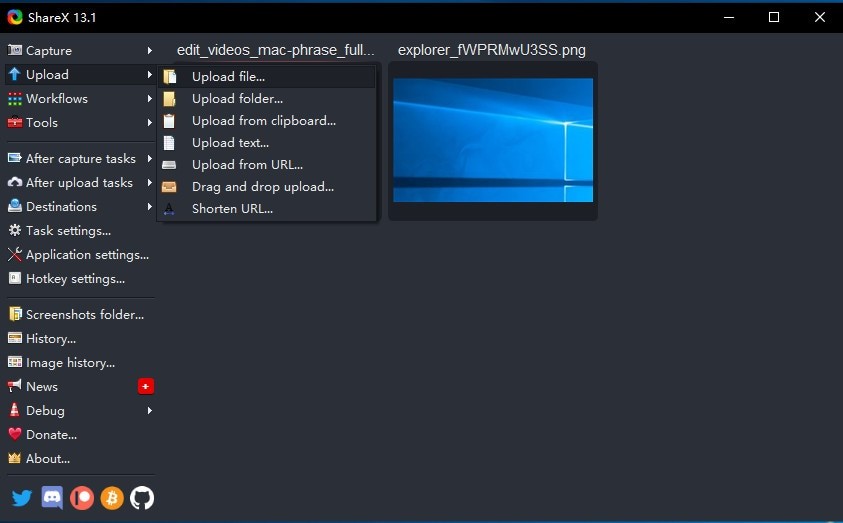
ShareX is a lightweight tool for screen recording and taking screenshots. In addition to simple screen capture, it can help you streamline repetitive workflows with custom actions and annotation options.
Pros:
- Free and open source
- Offer several recording modes
- Allows making annotations while screen recording
- Workflow automation
- No advertisements
Cons:
- The interface may feel overwhelming for beginners
- Video recording features are more limited than those of dedicated recorders
#4. Xbox Game Bar
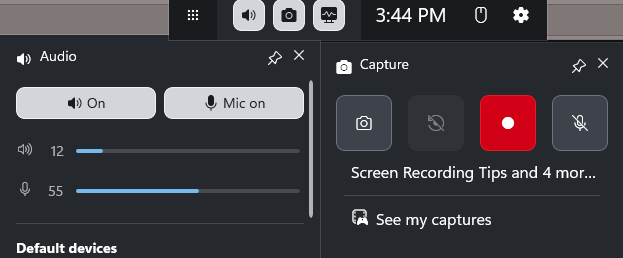
Xbox Game Bar is preinstalled on Windows 10 and 11 and supports recording activities happening on the screen. Although it was originally designed with gaming in mind, it can also be useful for quick desktop recordings and simple capture tasks. You can use it to record video games easily. Meanwhile, its straightforward interface makes it easy to start recording without much setup.
Pros:
- Free to use
- Its interface is simple and user-friendly
- Good recording quality
Cons:
- Without many customizable settings for recording
- Primarily designed for gaming
#5. Loom
Loom is designed for teams that frequently communicate through recorded videos. It focuses on fast sharing and collaboration, making it a strong option for remote work, online teaching, and business communication. With browser support and simple editing tools, Loom allows you to create and distribute videos with minimal effort.
Pro:
- Instant sharing
- Team collaboration
- Browser support
- Basic editing features
Cons:
- Some advanced features require a subscription
- Cloud-based workflow may not suit everyone
Conclusion
Is ScreenRec safe? After reading this article, we can conclude that ScreenRec is safe to download and use as long as you get it from the official website. Meanwhile, ScreenRec is not widely associated with malware or bundled software. With ScreenRec, you can record online videos, video meetings, video games, and other on-screen activities effectively. Additionally, you can try an excellent alternative to ScreenRec, such as AWZ Screen Recorder.
Steven