Introduction:
Discord is a popular communication platform where communities chat, share, and collaborate in real time. However, you may need to reduce text size in Discord to add side notes, spoilers, code-style comments, or creative effects. Mastering
how to make text small in Discord can boost both the style and clarity of your chats. This
AWZware article explores Discord text formatting in simple, practical ways.
Method 1. Make Discord Text Small Using Inline Code (Single Backticks)
Using inline code to make Discord text small is best for short phrases, commands, or snippets you want to highlight subtly. Using a single backtick creates Discord inline code small text, which appears compact and clean. This is perfect for beginners, this trick makes your text look clean without affecting the overall formatting.
Learn how to make small text in Discord using Inline Code with ease.
Step 1. Start the Discord application on your system.
Step 2. Navigate to the chat where you plan to share your message.
Must-Know Methods to Record Discord Stream [Detailed Steps]
Want to capture live streams on Discord? How to record Discord stream with audio with no hassle? Read this post to find out 2 awesome Discord stream recorders.
READ MORE >
Method 2. Make Text Tiny in Discord Using Subtext with -# Trick
Another way to shrink text in Discord is with -#, which automatically turns it into subtle, small text. This approach works perfectly for notes, disclaimers, or side information without taking attention away from the main message. It helps keep conversations organized and gives your messages a more professional, polished look.
Learn how to make text small in Discord using the subtext with the -# trick in a few clicks.
Step 1. Open Discord. And navigate to any text channel where you want to send your message.
Note. You can open a server channel or a direct message, provided it allows typing. Once you open the text channel, you can start formatting your text.
Step 2. Click into the message typing box at the bottom of the screen.
This is where you usually write all your messages. And it’s the place where formatting commands can be used. Make sure your cursor is active inside the box before you continue.
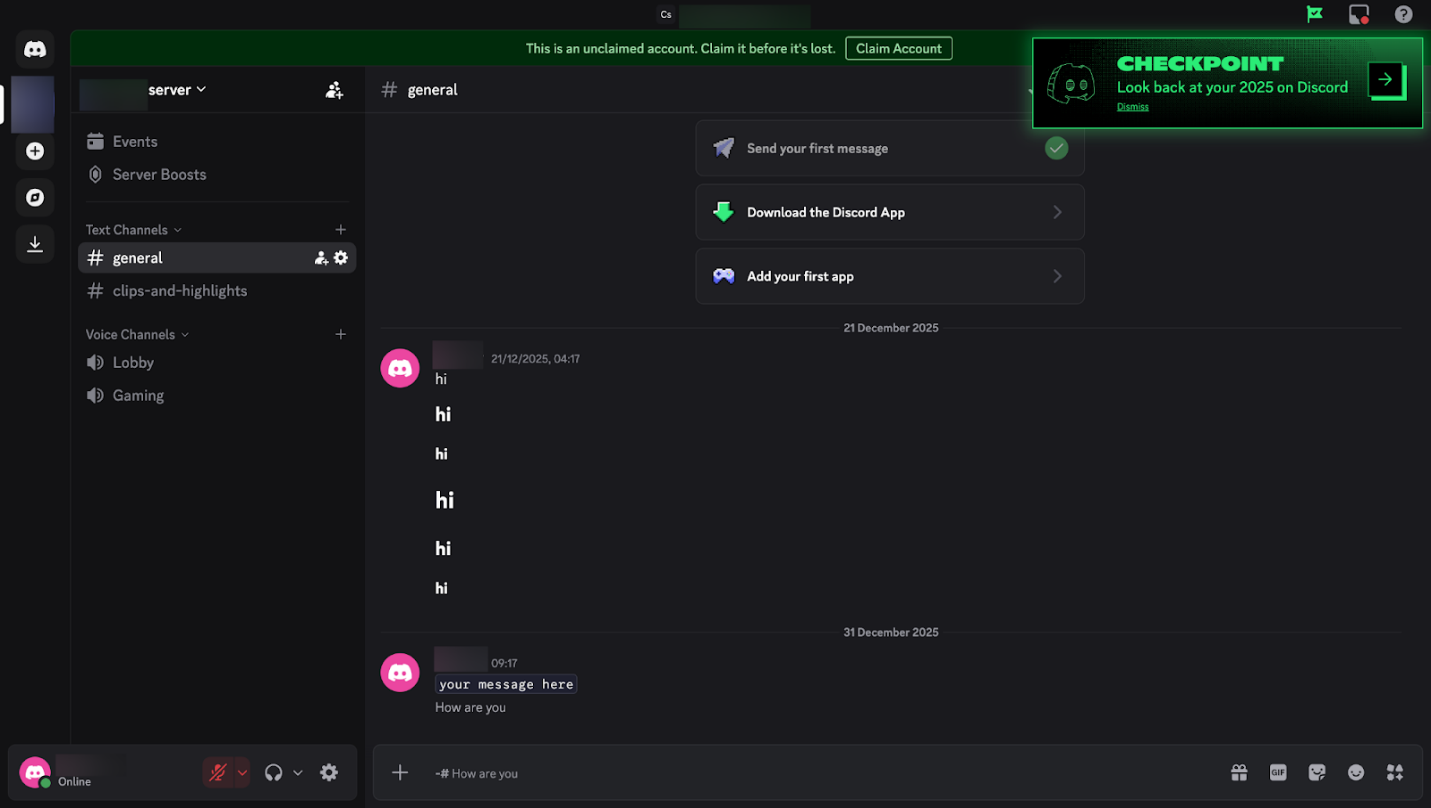
Step 3. Type the characters followed by a space. This combination serves as the formatting trigger that reduces your text size.
Note. The space is vital as it separates the command from the message you want to type.
Step 4. Type your message right after the space. Whatever you write here will automatically appear in the smaller text format once it is sent.
You can type any message you like, and the preview will usually show the smaller size as you type.
Once everything is set, press Enter to send the small text message. Once you send it, your message will appear much smaller than normal text. This allows you to format your text uniquely.
Method 3. Use Markdown Headers to Make Small Text in Discord
Markdown headers allow you to adjust size and give your Discord messages a structured look. You can use headers to make Discord text big or small, with higher-level headers offering a softer, less dominant look. It serves as a practical way to organize your messages and draw attention to important parts. It also improves readability without relying on special tricks or symbols.
Explore how to make text small in Discord using Markdown Headers.
Step 1. Launch Discord and enter the chat, server channel, or DM where you want to type.
Step 2. Put three or four hash symbols (### or ####) at the start of your line.
Step 3. Add a single space after the hashes before starting your message. After the space, enter your text as you usually do.
For example, like this:
- Biggest header (H1): # Text here
- Smaller header (H2): ## Text here
- Even smaller header (H3): ### Text here
Step 4. Send the message to see the reduced-size header text.
Method 4. Make Discord Text Small Using Unicode Small-Text Generators
Unicode small-text generators provide a fun way to make Discord text look smaller by turning normal letters into special Unicode characters. These characters visually look tiny or superscript-like while remaining readable in Discord chats. Many people use this method for stylish usernames, decorative messages, or to add subtle emphasis. Since Unicode is compatible with many platforms, your text renders reliably, making it great for consistent styling.
Here’s the method to make your Discord text tiny using Unicode Small-Text Generators.
Step 1. Launch your web browser and open an online Small Text Generator tool.
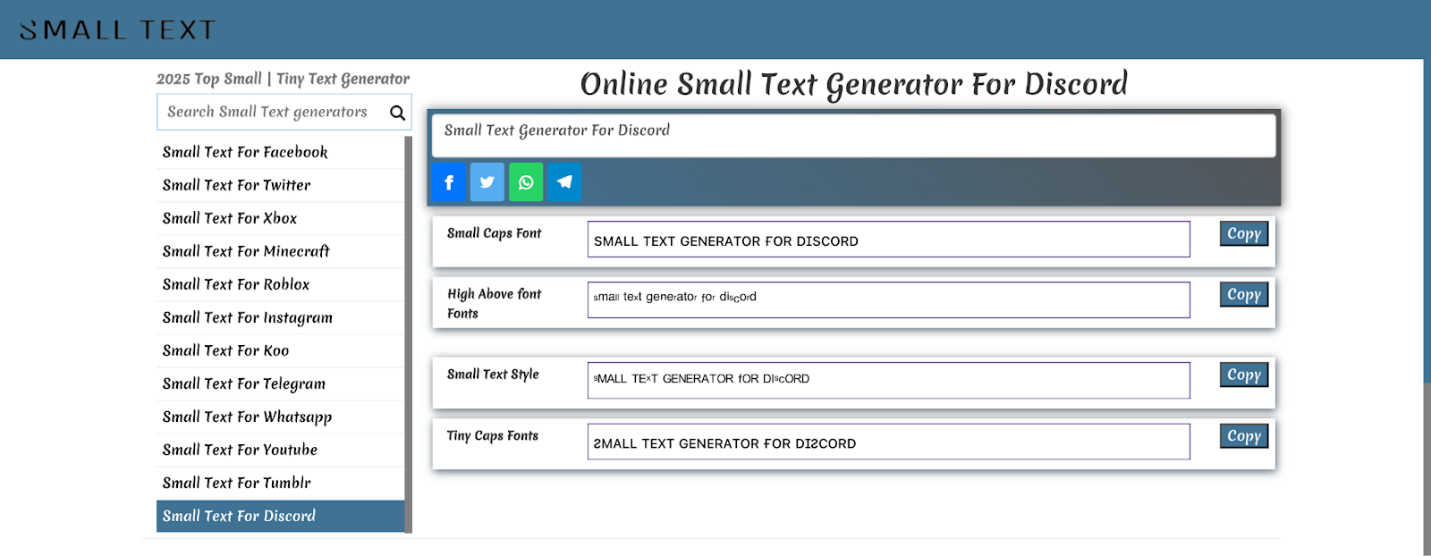
Step 2. Enter your text into the Small Text Style field of the generator.
Note: You’ll notice your regular text gets transformed into small text automatically.
Step 3. Copy the tiny text that the tool created.
Step 4. Put the tiny text into any Discord chat or DM.
Bonus: Free Screen Recorder for Discord Screen Recordings
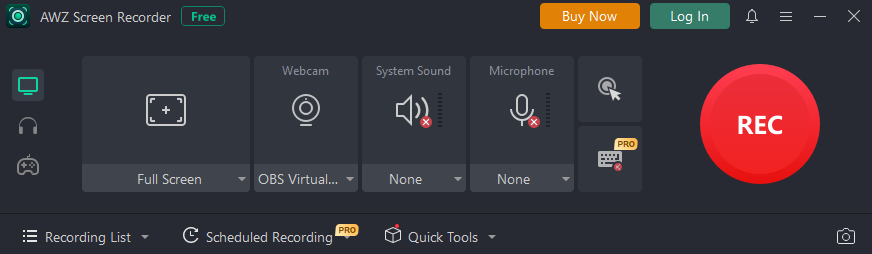
Now that you’ve seen the four effective methods to make text small in Discord, you might also want to capture your Discord activity on screen. For that, AWZ Screen Recorder is a reliable tool. It allows you to easily record Discord video and audio calls. It works as a smooth 4K screen recorder, delivering high-quality visuals and clear sound. AWZ Screen Recorder is ideal for tutorials, gameplay, meetings, and content creation, making Discord recordings professional and straightforward.
Conclusion
Mastering basic formatting techniques can significantly improve how your messages look and feel in Discord. Learning how to make text small in Discord gives you more control over message style and presentation. From inline code and subtext tricks to Markdown headers and Unicode generators, each method serves a unique purpose.
Using the right approach helps keep chats clean, creative, and easy to read. Whether for notes, emphasis, or design, these formatting options enhance communication. Try these techniques today and upgrade your Discord messaging experience. You can also use AWZ Screen Recorder to record high-quality Discord video and audio calls easily.
Steven