Introduction:
Respondus is a trusted tool for securing exams and discouraging dishonest behavior. Does Respondus record you? This AWZware guide covers how it works, what it records, and offers practical tips to help you stay confident during online exams.
The Big Difference: LockDown Browser vs. Respondus Monitor
Respondus includes two monitoring tools, LockDown Browser and Respondus Monitor, each built for a different purpose.
LockDown Browser
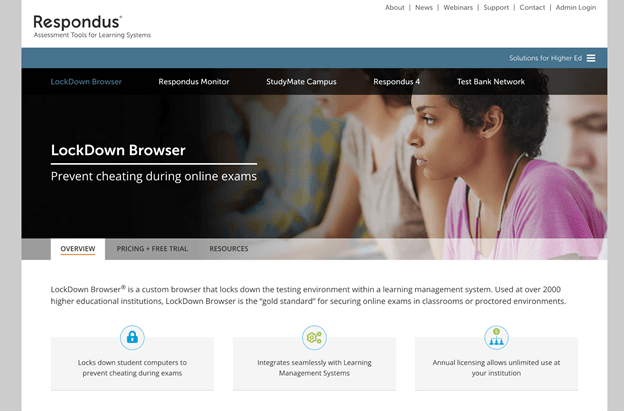
LockDown Browser is a specialized browser that helps keep online exams secure. It stops students from opening new tabs, copying or pasting, using multiple monitors, or accessing other apps, but it does not use a webcam or microphone.
Used by over 2,000 colleges, it blocks many cheating methods, such as screen sharing and virtual machines. It integrates seamlessly with major LMS platforms such as Blackboard, Canvas, and Moodle to ensure secure, reliable exams.
Respondus Monitor
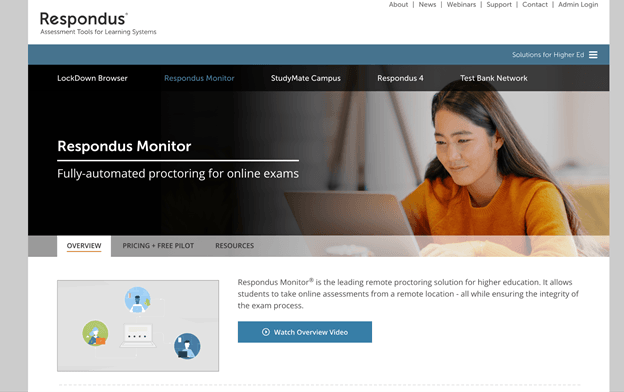
Respondus Monitor is an automated proctoring add-on for LockDown Browser that ensures the integrity of online exams. If your school uses it, it records students via webcam while preventing printing, copying, or accessing other apps. After a one-time installation, it launches from any browser and guides students through a pre-exam setup.
With support for major LMS and publisher systems, it runs on Windows, Mac, Chromebook, and iPad without registration, allowing secure exam monitoring and easy review of flagged events.
What Exactly Does Respondus Monitor Record?
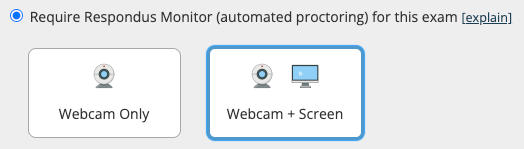
Respondus Monitor uses automated proctoring to track and analyze your actions during exams, helping maintain academic honesty. It uses multiple inputs to detect suspicious activity and flag it for instructor review. Unlike a free screen recorder with no time limit, it is specifically designed for exam monitoring and security purposes.
Have you ever thought, does Respondus record you without webcam? Here’s all that Respondus records.
✅ Audio. It records the room's audio to ensure no one is whispering answers to you.
✅ Screen Activity. It also includes a “Screen Recording” feature that lets instructors review a playback of your desktop during the exam.
How Do I Know If I Am Being Recorded?
Many users may wonder, “does respondus lockdown browser record you without permission?” LockDown Browser records you only when video and audio proctoring are enabled. This allows examiners to monitor both your screen activity and your actions during the test.
One clear indicator is the webcam pre-check. Before the exam, you complete a verification process that checks your camera quality and settings. If you see this step, LockDown Browser is set to record online video with audio.
If no pre-check appears, recording isn’t enabled, so students know they aren’t being monitored and can feel confident about their privacy.
Who Can See the Recordings?
Recordings from Respondus Monitor are only accessible within the online course. Viewing access is restricted to your instructor and higher-level users, such as LMS administrators.
Instructors review flagged events, such as unusual movements or actions, to ensure exam integrity. Your data remains private and secure because neither students nor outsiders can access these recordings.
Bonus Tip: An Easy Way to Record Your Screen
With a better understanding of Respondus Monitor, you can see how it maintains exam integrity and answers, does Respondus lockdown record you.
Then, what if you want to record your screen for personal use? For flexible personal use, tools like AWZ Screen Recorder provide a better option, letting you record Netflix, capture lectures, and create high-quality content with ease.
AWZ Screen Recorder is a user-friendly tool that captures your screen in high quality, whether full screen or specific windows, with support for multiple formats. Delivering reliable, high-quality results, this powerful tool is perfect for tutorials, films, or recording gameplay on PC or Mac.
Follow this simple method to record your screen with AWZ Screen Recorder.
Step 1. Download and open the program on your computer, then select a recording mode—screen, webcam, microphone, or audio.
Step 2. Record the full screen or a selected area and adjust advanced capture settings.
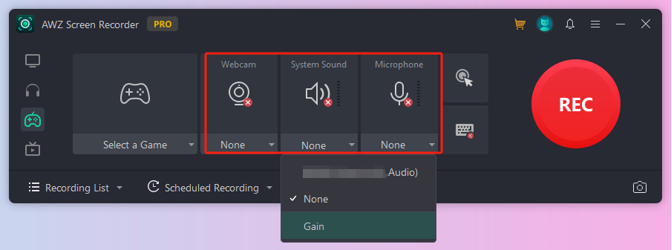
Press the REC button to begin recording.
Step 3. Play back your video, edit the footage or audio, and save it in any format at HD quality.
Conclusion
Does Respondus record you? Yes! To conclude, Respondus records activity only when proctoring with video and audio is enabled, ensuring fair exams. LockDown Browser secures your exam setup, while Respondus Monitor monitors video, audio, and screen activity. These details make it easier to understand whether Respondus records you.
Stay informed, follow exam guidelines, and explore reliable screen recording tools, such as AWZ Screen Recorder, for personal projects. Start capturing your own tutorials, lectures, or gameplay today!
Lena