1. Free AWZ Screen Recorder
Best For: Beginners who want hassle-free recordings, walkthroughs, and introductory tutorials.
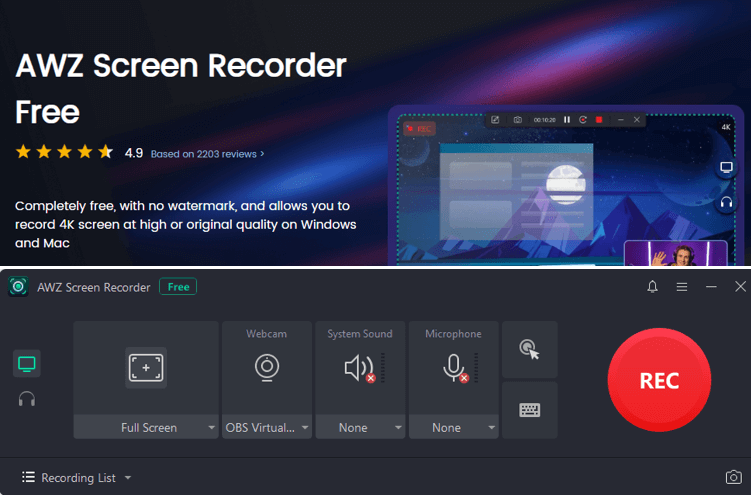
As a lightweight and intuitive tool, Free AWZ Screen Recorder is ideal for users wanting the best free screen recorder with no time limit for PC. It allows unlimited recording sessions without imposing restrictions, making it ideal for tutorials, gameplay, and presentations.
Free AWZ Screen Recorder also supports high-resolution output and works as a 4K screen recorder for clear, detailed visuals. In addition, the tool also includes adjustable recording areas, webcam overlay, multi-source audio capture, and easy-to-use editing tools.
Download Free AWZ Screen Recorder and have a try!
Pros
- Completely free with no watermark or time limits.
- Helps record gameplay on PC with ease.
- Minimal system impact with straightforward switching between multiple screens, webcams, and audio sources.
- Records across several monitors efficiently, handling various screen configurations with no delay.
- Includes basic tools such as trimming, saving time in post-production.
- Simultaneously records screen and audio, or records only audio.
Cons
- Does not work on Linux computers.
2. OBS Studio
Best For: Streamers, gamers, and professionals needing professional-grade recording and real-time broadcasting tools.
OBS Studio is a powerful, open-source platform widely regarded as a free screen recorder with no time limit for PC. Perfect for streamers, gamers, and professionals, it allows unlimited recording and unrestricted live broadcasting.
Known as the OBS Screen Recorder, it offers advanced features such as scene composition, real-time audio mixing, and multi-source capture. OBS Studio also offers high-definition recording, customizable transitions, filters, and plugin support, ideal for both advanced projects and simple captures.

Pros
- Entirely free and open-source software.
- Enables video recording and live streaming in up to 4K+
- Work seamlessly on Windows, macOS, and Linux computers.
- High-performance real-time video/audio capturing and mixing.
Cons
- Steep learning curve and complicated setup due to the complex setup and terminology.
- CPU-intensive and overkill for basic jobs, some features need extra plugins.
- Requires separate software for trimming, cutting, or adding effects post-recording.
3. ShareX
Best For: Power users and productivity creators seeking professional-grade capture tools with automation.
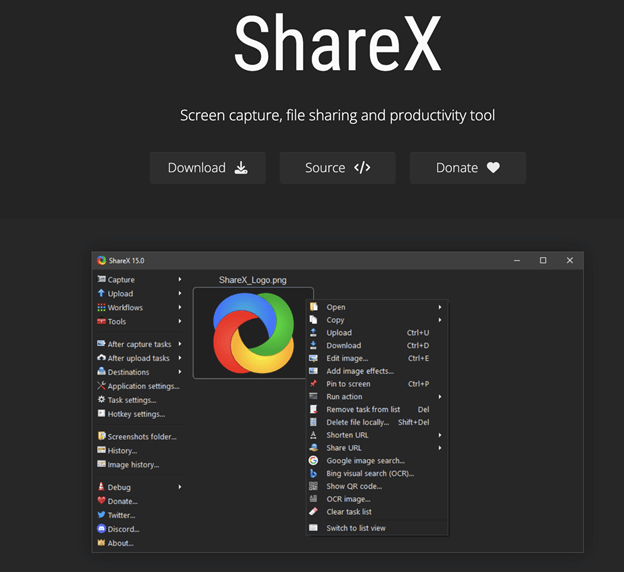
As a free no time limit screen recorder for PC, ShareX provides open-source reliability and flexible features for users who need endless recording sessions. Serving as an open-source screen recorder, it allows users to tailor recordings, whether capturing a single window or the entire screen.
Beyond this, it includes GIF creation, built-in editing tools, automated workflows, cloud uploading, screenshot annotations, and multiple capture methods. This makes ShareX an ideal choice for productivity enthusiasts, developers, and content creators who want a robust, flexible recording solution.
Pros
- Lightweight, fast, free, and open-source program with customizable workflows.
- Supports multiple video and screen recording formats.
- Links seamlessly with other tools, like image editing and video conversion
- Offers a metadata tool to strip non-essential data.
Cons
- Works only on Windows computers; occasional errors or issues with specific features.
- The interface is complex and may be challenging for beginners.
- Advanced features demand technical knowledge to use effectively.
4. Bandicam
Best For: Gamers and educators seeking high-performance recording with low lag and sharp output.
Bandicam is a high-performance tool known as a free screen recorder with no time limit for PC, ideal for gamers, educators, and professionals who need unlimited recording sessions. This game recording software records gameplay effortlessly while also capturing your whole screen, saving output as video (MP4, AVI) or images.
Additionally, Bandicam includes real-time drawing, webcam overlay, scheduled and device recording, and high-compression options, making it a versatile tool for high-quality screen capture.

Pros
- Effortless setup, low system usage, and easy-to-navigate controls for beginners.
- Records various 2D/3D games with 4K UHD Video, capturing up to 480 FPS video.
- Records external video devices, including webcams, Xbox/PlayStation, smartphones, and IPTV.
- Schedule recording and draw or outline on your video or screenshot in real time.
Cons
- Adds a watermark/logo at the top of all the videos.
- Recordings are capped at 10 minutes each and lack built-in video editing tools.
- It can cause lag or slow performance on low-spec computers.
5. Loom
Best For: Remote teams and professionals who want speedy recordings and instant collaboration.
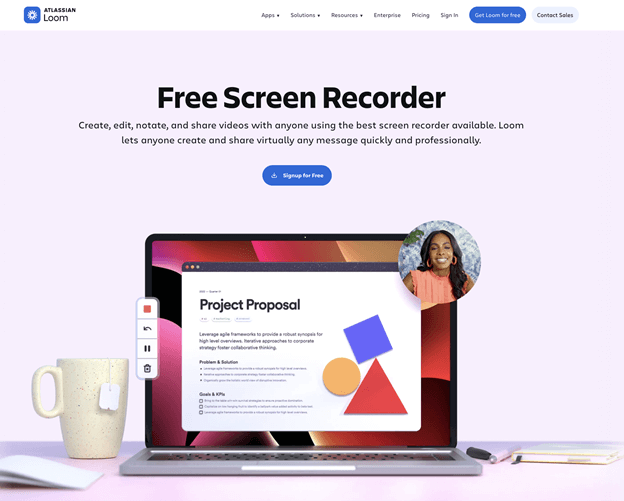
Loom is an intuitive, efficient free screen recorder with no time limit for PC, ideal for remote teams, educators, and professionals who need seamless, unlimited recording sessions. It lets users record their screen, webcam, and microphone at the same time, creating more engaging and personal communication.
In addition, Loom offers link-based instant sharing, video trimming, viewer analytics, team collaboration, and cloud storage, making it ideal for tutorials, presentations, and walkthroughs.
Pros
- Easy setup and operation, allowing instant recording of screen, webcam, and microphone.
- Comes with automatic transcription and live rewind to enhance usability.
- Automatically creates shareable links that can be easily embedded in emails or documents.
- Offers automatic titles, summaries, and chapters (basic in free).
Cons
- Does not work for long meetings, and free recordings are limited to five minutes.
- The free version limits recordings to 720p and may cause audio sync issues.
- Very simple, without editing capabilities, and prone to occasional errors or crashes.
Quick Wrap Up
Finding the ideal free screen recorder with no time limit can improve your approach to creating, teaching, and sharing content. Whether you’re a beginner or a professional, these recorders ensure flexible, simple, and high-quality capture with no limits. For tutorials, gaming, or team collaboration, the listed tools guarantee reliable, seamless performance. Start using them today to enjoy a smoother, more professional screen recording experience.